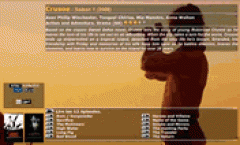
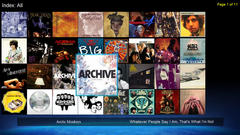
Photo Jukebox
Windows application that generates slideshows for all your photos stored on your NMT device, or accessible from your NMT device.
Updated: 2010-11-16: Version 1.2. For changelog, see below.
Features:
- It creates an HTML menu which shows all your folders which contains photos
- For each folder, you can start a slideshow in regular order, or in random order
- Each slideshow contains the photos from the selected folder, and it's subfolders
- You can use your own music to play in the background while viewing the slideshow
- Or, you can use a playlist maintained by Music Jukebox for your background music
- Each folder can have it's own background music, or use the default background music.
Requirements:
- Microsoft Windows based PC
- Photo Jukebox installation files available here
- NMT Apps installed on the NMT (necessary for the shuffle/random displaying. Regular play works fine without it)
- Optionally, Music Jukebox for maintaining your playlists
Installation Instructions:
- Download the zip file
- Extract the zip file somewhere to your PC
- Use an editor to edit the photojukebox.cfg file, making sure the path to your photo's is specified correctly twice: once as seen from your PC, and once as seen as from your NMT device
- Also specify the output folder twice: once as seen from your PC, and once as seen from your NMT device.
- (the photojukebox.cfg file contains some helpful hints)
- Browse through the photojukebox.cfg to change other settings to your liking, and save it.
- Start the photo jukebox generator, by double clicking on photojukebox.exe
- On your NMT device, browse to the folder where the PhotoJukebox output files are stored, and start photos.html
Changelog:
Version 1.2:
New features:
- configurable time for photo display
- added configurable configfile encoding for correctly handling accented characters
- added a progress indicator, showing the number of photos and folders found so far
- if a playlist file (*.jsp) is found in a folder, it will be used for playing background music for that folder and all folders below it. If no playlist file is found, the default music playlist will be used.
- create a file for new NMJ to not index the created output folder
Fixed:
- now correctly handles accented characters in folder and filenames, like: é, á, ö
Version 1.1:
New features:
- folder sort option: ascending or descending
- new option to either have 1 large folder list (all-in-one), or a list which shows only 1 level of children (single-level)
- each folder displays the number of subfolders
Fixed:
- folders with ( or ) in their names
- folder sorting in natural order: [ 1, 2, 11 ]. Previously, it sorted like this: [ 1, 11, 2]
URL:
Support Thread Example images:

| Attachment | Size | Hits | Last download |
|---|---|---|---|
| photojukebox_v1.2.zip | 1.66 MB | 83 | 8 hours 57 min ago |
like by guannuo